Building a Simple Markdown PWA App

While I didn't share it on the blog, last week I tasked Claude with using Electron to build a Markdown viewer app. It was part test (how well can Claude work with Electron) and part real need - I work with Markdown files all the time but didn't have a simple "view focused" application for it. I was sure there open source or paid app options out there, but I wanted my own. Claude did a pretty good job (you can see the source here) but one thing stood out to me - the size of the bundled app.
I created both a Mac and Windows distribution and both were around 90 megs. That's not huge of course, but still felt like a lot for what could - in theory - just be a web app. But there was one crucial feature I wasn't sure I could replicate - double clicking on a MD file to have it open my app. Turns out - you certainly can do it that.
If you don't care how I built it, you can go to the app right now and install it: https://mdviewerpwa.netlify.app/
Alright, let's break it down.
The UI
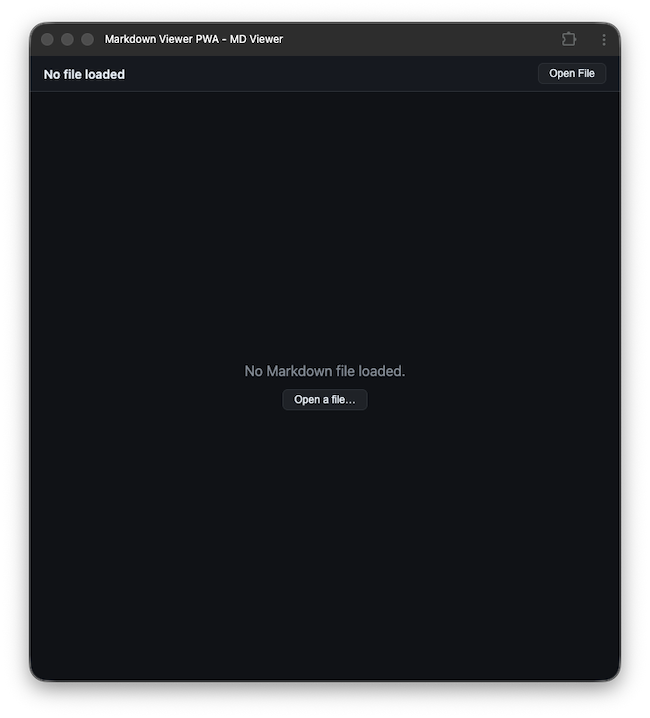
When I had Claude design the application for me, it went with an incredibly simple UI. I felt no reason to add to that so when I began the web app, I copied over the generated HTML/CSS from the Electron app into my new folder. Here's an example of how it looks with no file selected:
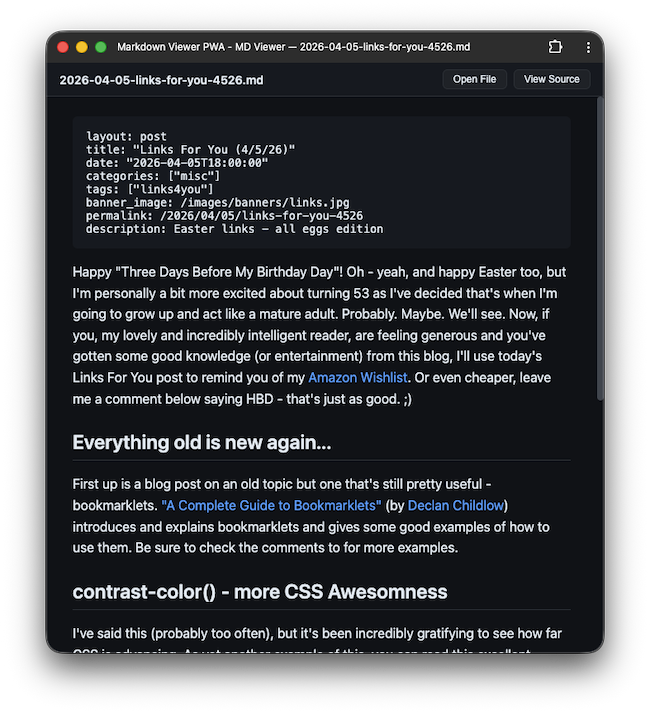
And here's how it looks after a Markdown file is opened:
Now let's look at the code a bit.
Markdown Support
This normally would be the boring part. Just drop in marked and be done with it. But so many Markdown files I use have frontmatter I wanted to do something special for it. My fix was incredibly simple. If a file begins with three dashes and has another three dashes, replace them with backticks:
const renderMarkdown = content => {
    rawContent = content;
    /*
    Special tweak for frontmatter. If our content starts with '---' and
    contains '---' again, we assume it's frontmatter and wrap it in and
    swap the --- to ```.
    */
    contentToRender = content.trim();
    // also, making a copy so we can keep the View Source version working
    if (contentToRender.startsWith('---')) {
        console.log('detected frontmatter, applying special formatting');
        const parts = content.split('---');
        if (parts.length >= 3) {
            const frontmatter = parts[1];
            const rest = parts.slice(2).join('---');
            contentToRender = `\`\`\`yaml${frontmatter}\`\`\`\n\n${rest}`;
            console.log(contentToRender);
        }
    }
    renderedEl.innerHTML = marked.parse(contentToRender);
    sourceEl.textContent = content;

    emptyState.style.display = 'none';
    renderedEl.style.display = 'block';
    sourceEl.style.display = 'none';
    toggleBtn.style.display = 'inline-block';
    showingSource = false;
    toggleBtn.textContent = 'View Source';

    document.title = `MD Viewer — ${fileNameEl.textContent}`;
}
Honestly most of that code is UI crap, but you can see the frontmatter support on top. I think it came out perfect - it stands out and I think most folks will recognize it for what it represents, but in theory I could possibly add a small graphical label or something to the block.
So again, there's UI handling code in here that's not that interesting, so let me turn to the real cool part. Yes, Virginia, a PWA can absolutely associate itself with files. I added a manifest.json and basic service worker. For bot of these I relied on Claude and it mostly did a good job, I had to tweak a few things.
After the basics worked, I did some Googling and came across this excellent MDN resource: Associate files with your PWA. Adding file support took two steps.
First, I added the following to my manifest:
"file_handlers": [
{
    "action": "/",
    "accept": {
    "text/markdown": [".md", ".markdown"]
    }
}
]
The action step there tells my app what URL to go to when being opened via a file. As my app has one page/view, I just used /.
The next step was to look for this in JavaScript. My application does this when starting up:
if("launchQueue" in window) {
    console.log('Launch Queue API is supported, setting up consumer');
    window.launchQueue.setConsumer(launchParams => {
        if (!launchParams.files.length) {
            return;
        }
        const fileHandle = launchParams.files[0];
        console.log('File launched:', fileHandle);
        fileHandle.getFile().then(file => {
            const reader = new FileReader();
            reader.onload = e => {
                const content = e.target.result;
                fileNameEl.textContent = file.name;
                renderMarkdown(content);
            };
            reader.readAsText(file);
        }).catch(error => {
            console.error('Error reading file:', error);
        });
    });
}
Basically, if I can use launchQueue, it will consist of a list of files, each of which is a file handle. I've used File objects in JavaScript before, but not file handles, but you can quickly go to a real file object using getFile(). Once you have that, the regular FileReader approach works to get the contents and render it.
I deployed the app to Netlify, opened it in my browser, and clicked the install icon.
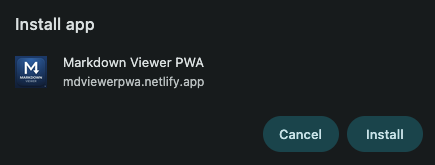
After I confirmed I had the application, I right clicked on a MD file, used open with, navigated to my PWA, and selected it:
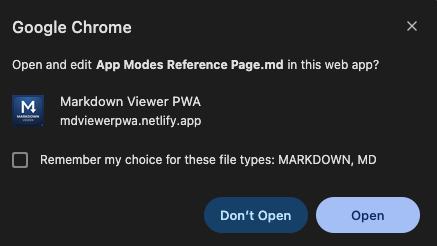
I told it to remember my choice and that was literally it. So now I've got a web-based app I can use locally, heck even offline, to render my Markdown files in a nice reading experience. (Well, nice to me anyway. ;) Oh, and the size is about 400k, of which most is one of the icons. Significantly smaller than the Electron app. (But to be fair, Electron was overkill for what I was doing.)
Once again, the link to the site is here, https://mdviewerpwa.netlify.app/, and you can find all the code here: https://github.com/cfjedimaster/webdemos/tree/master/mdviewerpwa
Photo by Annie Spratt on Unsplash